
Notification of calls/leads/campaigns statuses to Telegram via PostBack
- Find and Add the Bot
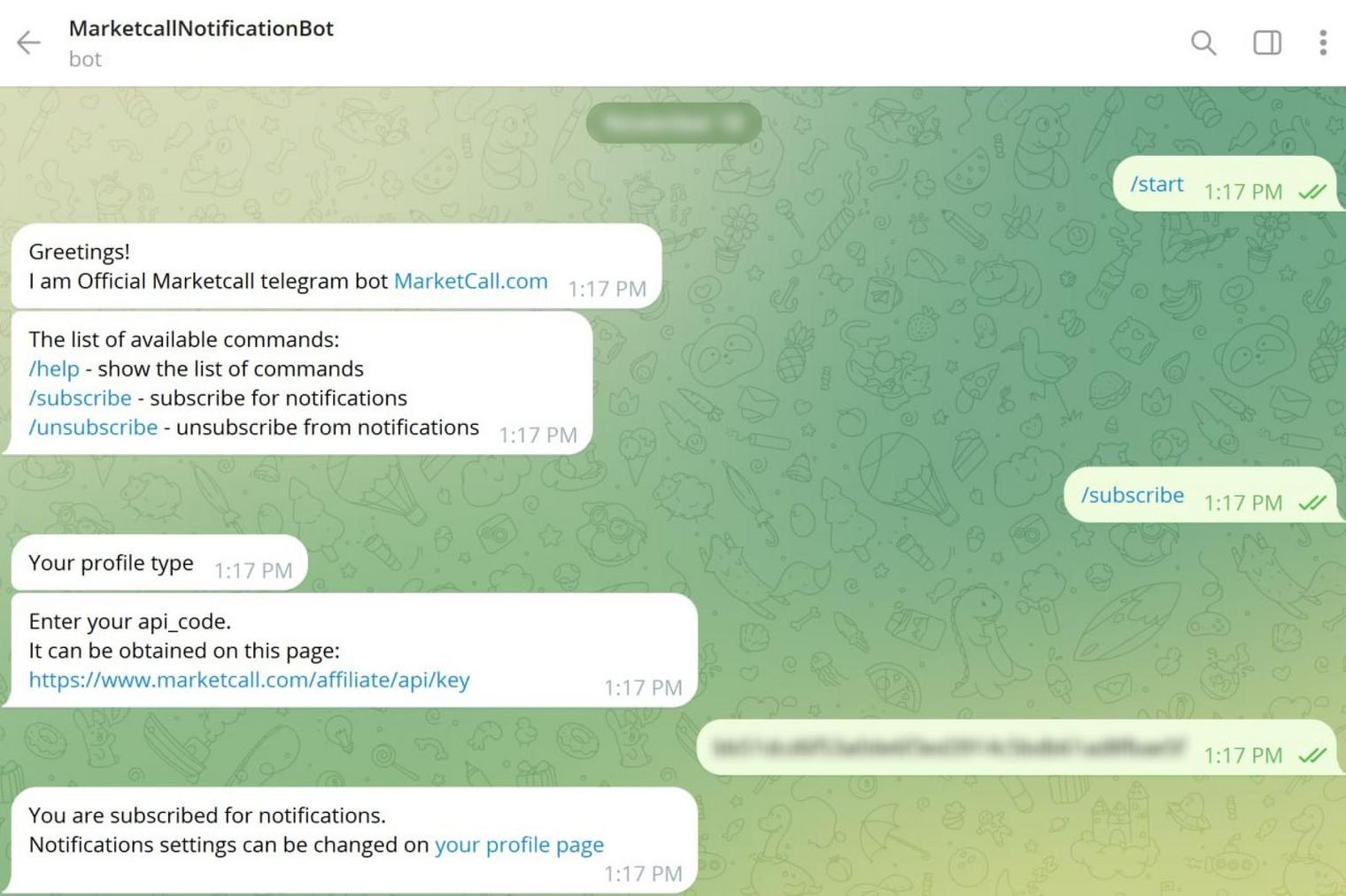
Open Telegram and search for @MarketcallNotificationBot. Add the bot to your contacts.
- Activate and Subscribe
Click "Start", then select the "Subscribe" option.
- Enter Your API Key
You will need to enter your API key, which can be found here:
https://www.marketcall.com/affiliate/api/key
Example of how it should look:
- Configure Notification Settings
Visit the following link to customize your notification preferences:
https://www.marketcall.com/affiliate/profile/notifications
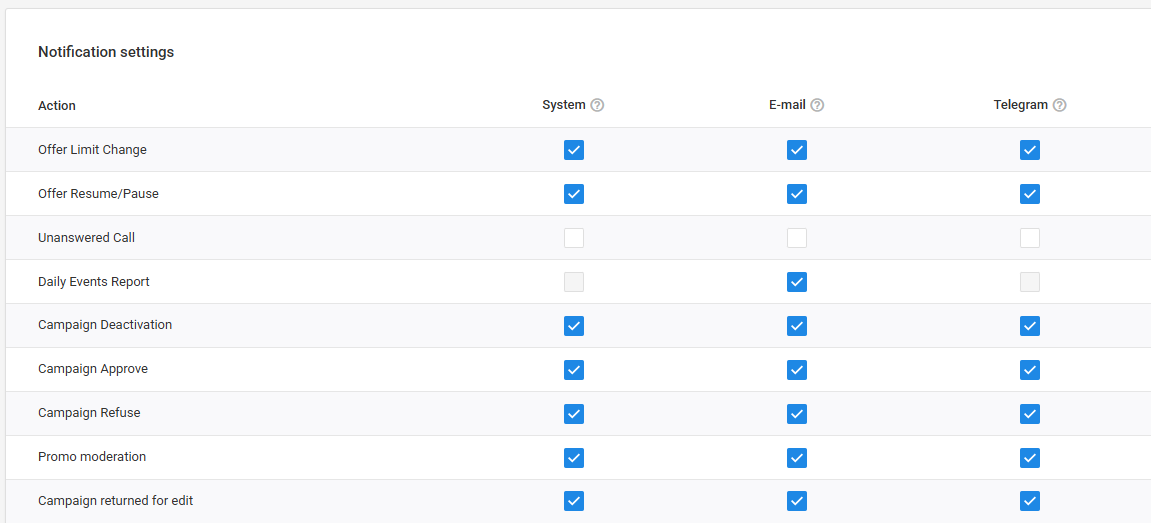
Now you're all set up! You will start receiving notifications according to your preferences.
Was this article helpful?
Thanks — that helps us prioritise what to rewrite.
Sorry about that. Ask support directly and we’ll get you sorted.