
How to Create Google Ads Postback (Webhook) for Calls
- Follow this link: https://www.marketcall.com/affiliate/postbacks/create
- Choose Google
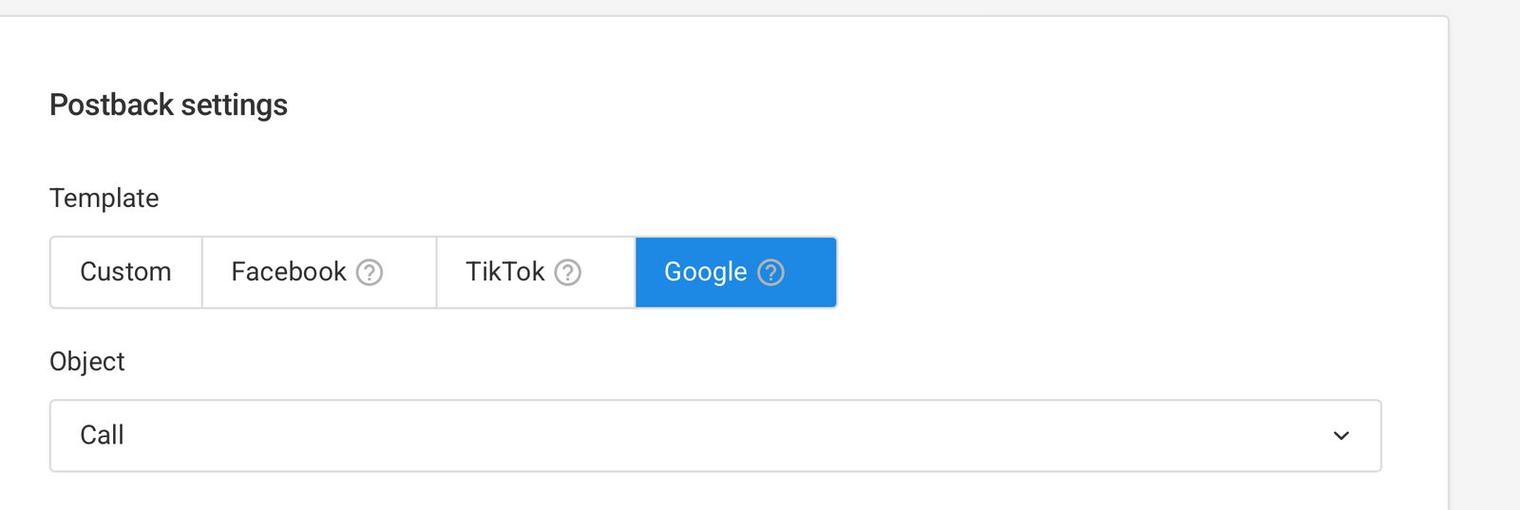
- Change values to your real values
- Values to Fill in with
%Sign: - %GOOGLE_CUSTOMER_ID%
- Where to get: This is the Google Ads account ID (without dashes). You can find this in your Google Ads interface (e.g.,
123-456-7890format).

- %GOOGLE_CUSTOMER_CONVERSTATION_ID%
- Where to get: This is the conversion action ID. You can find it in the Google Ads UI under Tools > Conversions or via the Google Ads API.
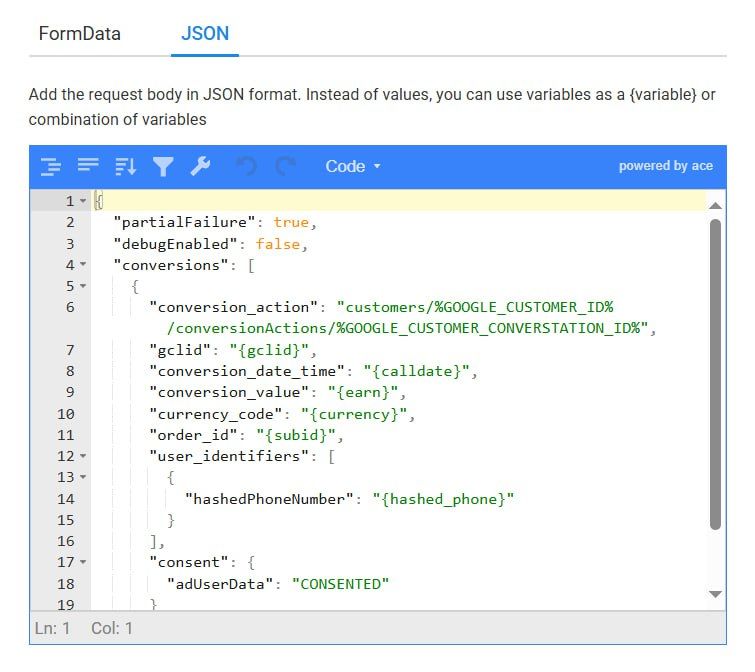
- %GOOGLE_OAUTH_TOKEN%
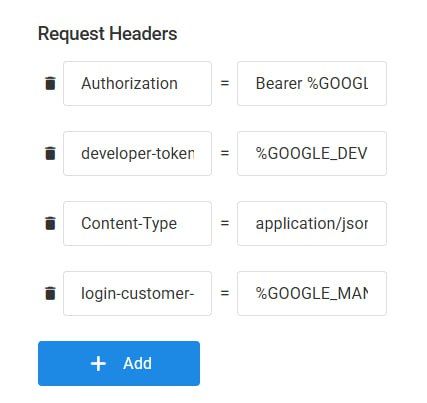
- Where to get: This is an OAuth2 access token. Obtain it by completing the OAuth2 flow via Google Ads API. It requires credentials linked to your Google Ads account.
- %GOOGLE_DEVELOPER_TOKEN%
- Where to get: This is the developer token from your Google Ads API. You can find it in your Google Ads API Center under 'Tools & Settings > API Center.'
- %GOOGLE_MANAGER_ID%
- Where to get: This is your Google Ads manager account ID. It’s available in your Google Ads account under Tools & Settings > Setup > Account Settings.
Was this article helpful?
Thanks — that helps us prioritise what to rewrite.
Sorry about that. Ask support directly and we’ll get you sorted.