
What's the reason of my campaign's refusal?
In order to see the reason for you campaign's refusal, please take the following steps:
- Make sure you are logged in to your account. On the left-side menu click Campaigns - Campaigns Index. Choose Refused in Campaign's state filter.
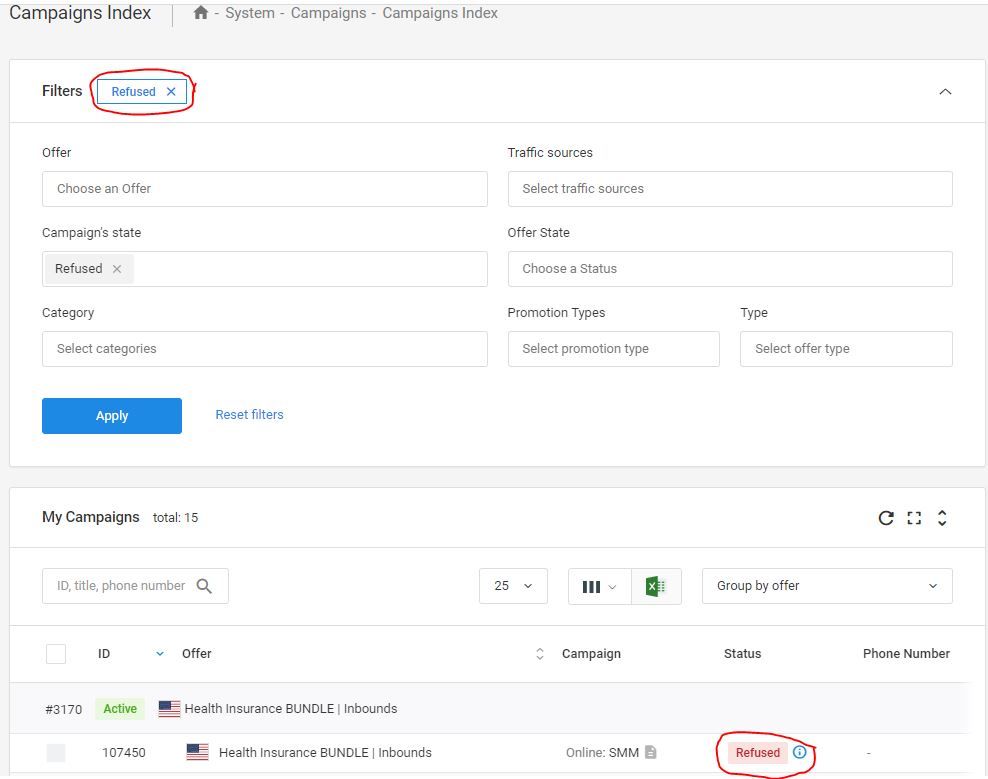
- Place your mouse over the circled blue information sign shown on the right from Campaign's status so that you can see the reason for a refusal comes up.
Was this article helpful?
Thanks — that helps us prioritise what to rewrite.
Sorry about that. Ask support directly and we’ll get you sorted.